


Mobile at Just
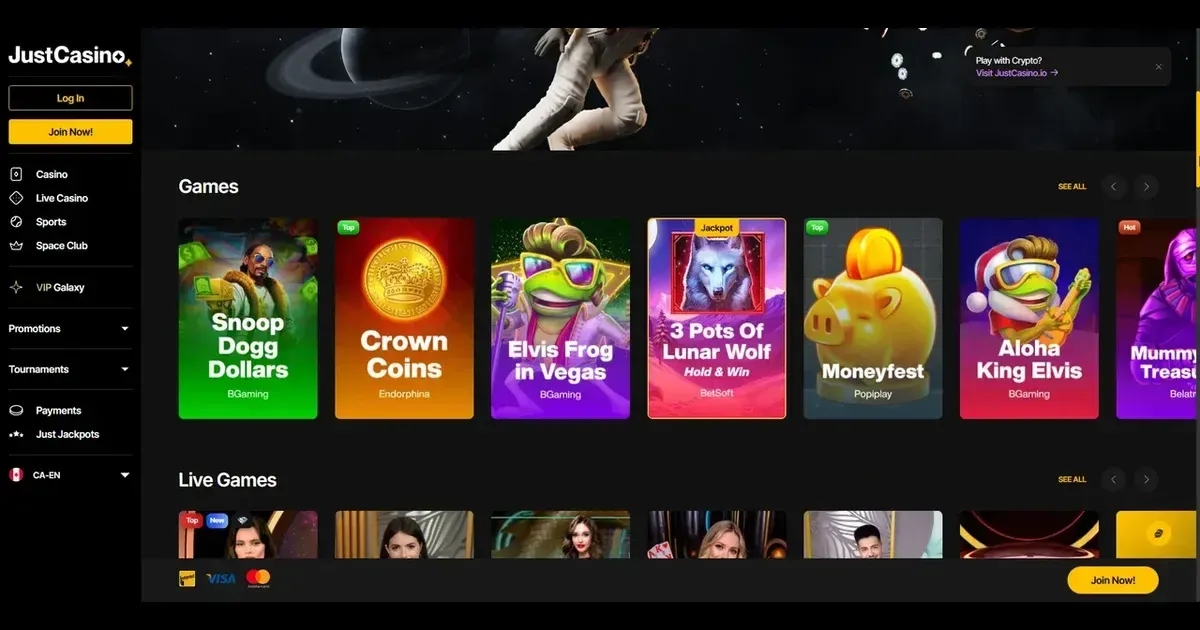
Just runs entirely in your phone's browser – there's no app to download, no store listing to hunt for, and no installation step. You visit the same site address you'd use on a laptop, log in with the same credentials, and you're in. The platform adjusts itself to the screen size, so buttons stay tappable and menus stay readable, but the experience is fundamentally the same one you'd get at a desk.
That approach has upsides and downsides. On the upside, you can play from any device with a browser and an internet connection, and you never need to update anything manually. On the downside, you won't find a dedicated icon on your home screen unless you bookmark the page yourself, and you won't get the kind of polish a purpose-built app sometimes brings.
Access is immediate: type the address, sign in, and the lobby loads. No download, no waiting, no permissions to grant. For a player who wants to check a balance or place a quick bet, that's often enough.
Installed app or site in the browser
Just does not publish a native app for iOS or Android. What you get instead is the full website, rendered to fit a phone. That means:
- You open it in Safari, Chrome, Firefox or whatever browser your phone runs by default.
- You can save the page to your home screen as a shortcut if you want faster access – it'll behave like an app icon, but it still opens in the browser underneath.
- Updates happen server-side, so the version you see is always current without you lifting a finger.
Some operators build dedicated apps that feel snappier, cache assets for offline browsing, or send push notifications when a promotion goes live. Just doesn't offer any of that. What it offers instead is universal compatibility – if your phone can run a modern browser, it can run this site, whether you're on iOS, Android, or something more obscure.
Good to know: you're not missing a hidden app somewhere. The mobile site is the mobile offering.
Day-to-day use from a phone
Once you're logged in, most of what you'd do on a desktop works here too. The game library is the same – over 14,000 titles, according to the operator – and the search and filter tools shrink down to fit the screen. Slots load in portrait or landscape; live dealer tables work best in landscape, where you can actually see the cards or the wheel without squinting.
The cashier is accessible from the account menu. Deposits follow the same steps as on desktop: pick a method, enter an amount, confirm. Withdrawals too, though if you're mid-verification you'll be asked to upload documents, and doing that from a phone camera is often simpler than scanning them at a desk. Support channels – live chat and email – work identically on mobile. The chat window floats over the page; you can browse games while waiting for a reply.
Here's a short table of what typically works well and what doesn't, based on the constraints of a smaller screen:
| Works well | Less comfortable |
|---|---|
| Slots, portrait or landscape | Multi-table tournaments |
| Live dealer in landscape | Detailed game rules or paytables |
| Account balance checks | Comparing multiple promotions |
| Quick deposits and withdrawals | Lengthy terms-and-conditions reading |
| Live chat with support | Switching between tabs while in a game |
The Space Club and VIP Galaxy loyalty features are present, but navigating tier details or checking point conversion rates on a 6-inch screen takes more scrolling than it would on a monitor.
Known limits on a small screen
A phone is not a desktop, and certain things just don't translate as cleanly. Multitasking is harder – if you want to read bonus terms while a slot spins, you'll need to leave the game, open the terms page, then navigate back. On a laptop you'd open a second tab; on mobile that's clunkier.
Text-heavy pages – the full responsible gambling section, the privacy policy, the detailed breakdown of VIP tiers – are readable, but they require more scrolling and zooming than most people have patience for. If you need to study the wagering terms of a bonus before claiming it, you're better off doing that on a larger screen first.
Live dealer games are playable, but the video feed and the betting interface compete for space. In portrait mode you'll see more of the table and less of your chip stack; in landscape the proportions improve, but then the phone's keyboard (if you're chatting with the dealer) eats half the screen. It works, but it's a compromise.
Battery drain is another consideration. A 90-minute session on a graphics-heavy slot or a live blackjack table will pull your charge down noticeably, especially if your screen brightness is high and you're on mobile data rather than Wi-Fi.
What to check before you start
A few practical points worth remembering if you're planning to play from a phone regularly:
- Connection quality. A dropped connection mid-spin usually means the game freezes and resumes when you're back online, but a dropped connection during a live dealer hand can mean a forced fold or a missed bet. Stick to Wi-Fi or a strong 4G/5G signal.
- The site address. Bookmark it or save it to your home screen the first time, so you're not retyping it from memory. Mistyped URLs are the oldest phishing vector there is.
- Session limits. Just lets you set deposit limits and session reminders through your account settings. Those controls work identically on mobile, but a phone is easier to pull out of your pocket on a whim than a laptop is to boot up – so the limits matter more here, not less.
- Signing out on a shared device. If someone else ever picks up your phone, make sure you've logged out. The site doesn't auto-lock after a set idle time the way some banking apps do.
One last note: playing from a device you carry everywhere makes it easier to slip into a longer session than you planned. Set a timer, set a deposit cap, or both. Responsible gambling is harder to maintain when the casino fits in your pocket.
Responsible mobile play
Gambling from a phone is convenient, and convenience cuts both ways. It's easier to check a balance, claim a bonus or play a few spins while you're waiting for a bus – but it's also easier to lose track of time, spend more than you meant to, or play when you're tired or distracted.
Just offers the same responsible gambling tools on mobile as it does on desktop: deposit limits, self-exclusion options, and links to support organisations. You must be 18 or over (18+) to access this site. If you're sharing a device with anyone under 18, consider installing parental-control software such as Net Nanny or Qustodio to block gambling sites entirely.
Free, confidential support is available 24/7 through GamCare (National Gambling Helpline: 0808 8020 133) and BeGambleAware. If you need to block access across all UK-licensed sites, GamStop provides free self-exclusion. For device-level blocking that works anywhere, try Gamban or BetBlocker.
Gambling should be entertainment, not a reflex. If it stops feeling that way, step back.